
Note: Discount code blocking is available on the Unlimited plan.
TL;DR
Add the Discount code blocker rule under Settings → Checkout.
Let's Do It Together!
Step 1: Select the Discount
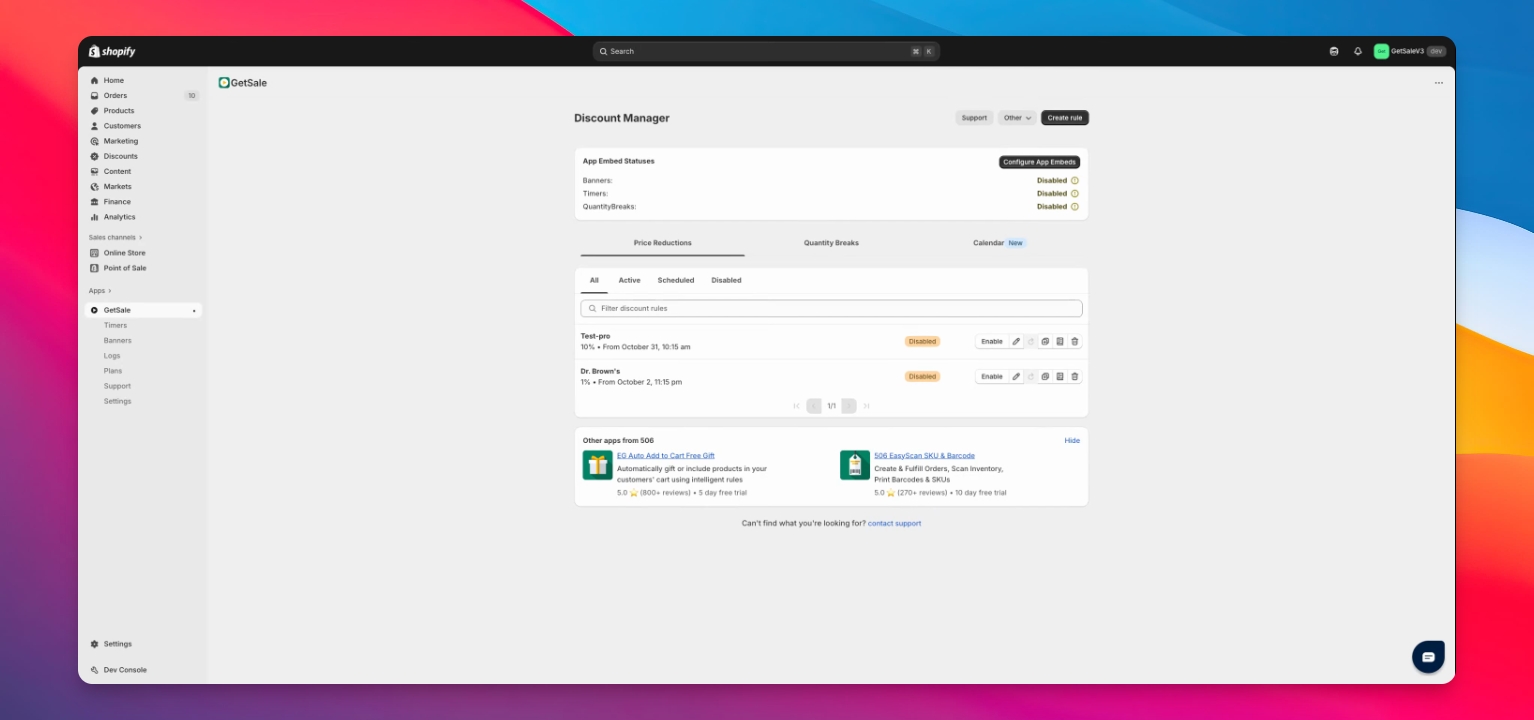
Find the discount you want to adjust and click it.
Step 2: Enable Discount Code Feature
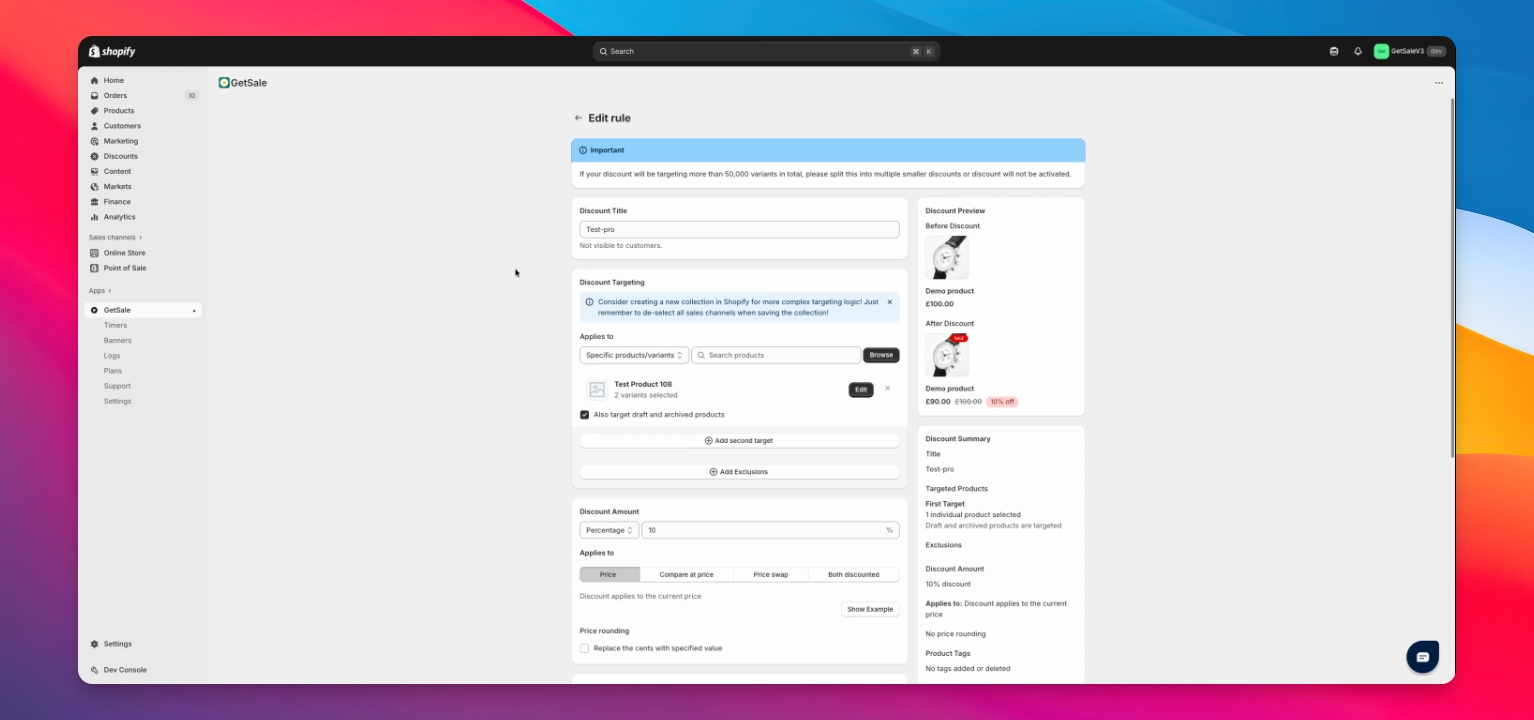
Scroll down to the Extra Options section.
Toggle the Block Discount Codes feature on.
Read the instructions carefully as this feature can impact conversions.
This enables you to manage how discounts combine.
Step 3: Enable the Discount Code Blocker Checkout Rule
Open the discount and click Steps to Enable, or in your Shopify admin go to Settings → Checkout.
Under Checkout rules, click Add rule, choose GetSale Discounts → Discount code blocker, then click Save and Turn on.
Note: the default “block all codes” option also works without this rule (the code is removed automatically). The Checkout rule is only required for the “cart only” and “product only” options.
Step 4: Choose Discount Blocking Option
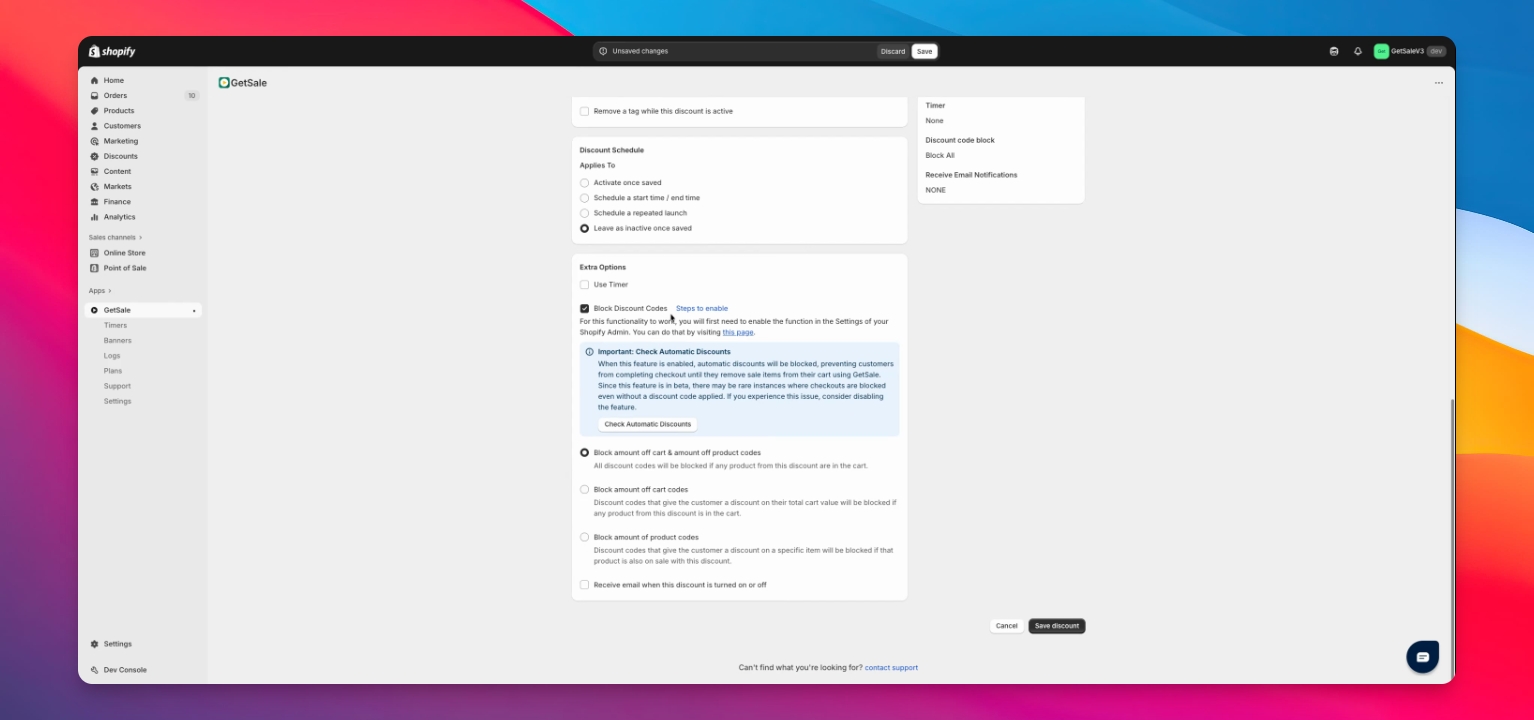
Select one of the three options for blocking discount codes:
Blocks all cart and product codes (default).
Click Save Discount.
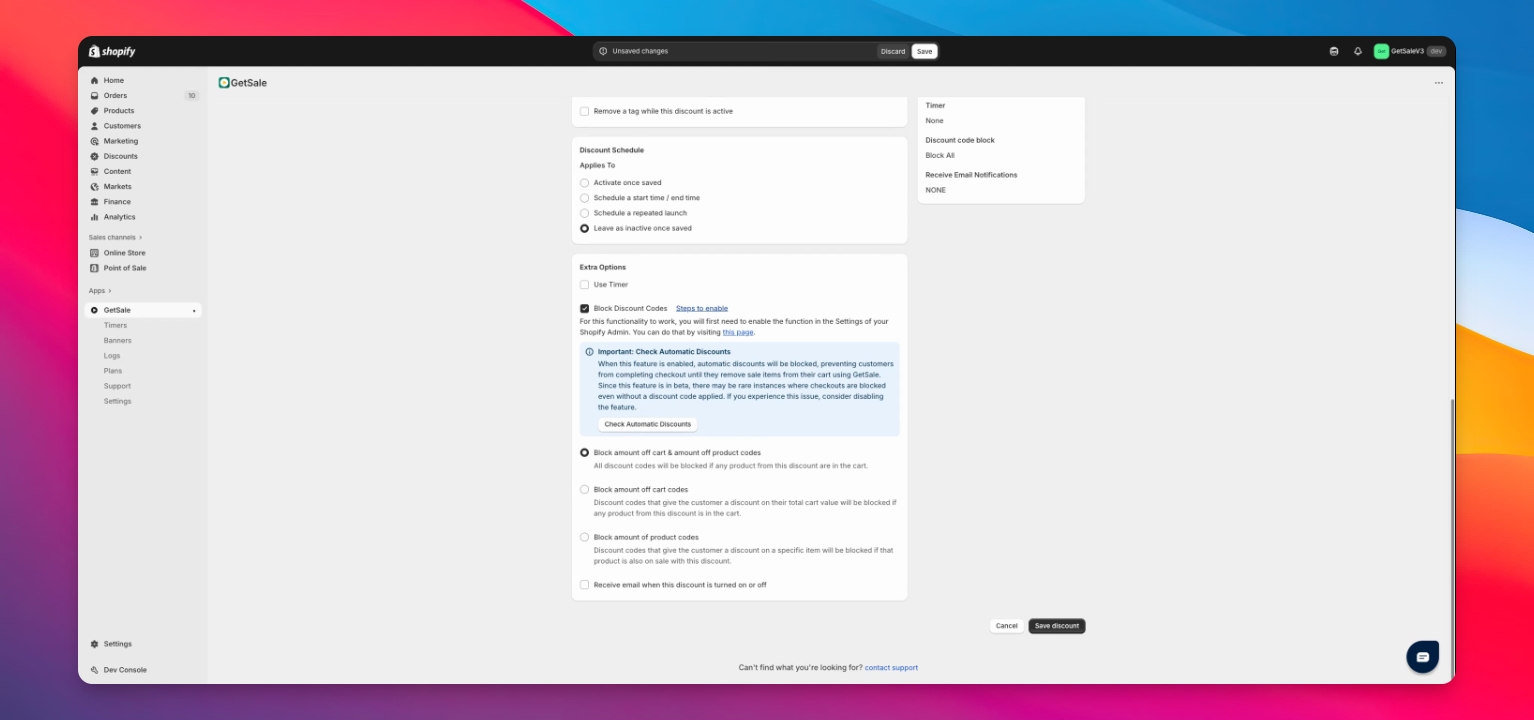
Which codes each option blocks:
Block all cart & product codes (default, recommended) — blocks every discount code.
Block amount off cart codes — blocks only cart/order-level codes. A product-specific code will still apply.
Block amount off product codes — blocks only product/line-level codes. An order-level code will still apply.
Step 5: Confirm and Save Changes
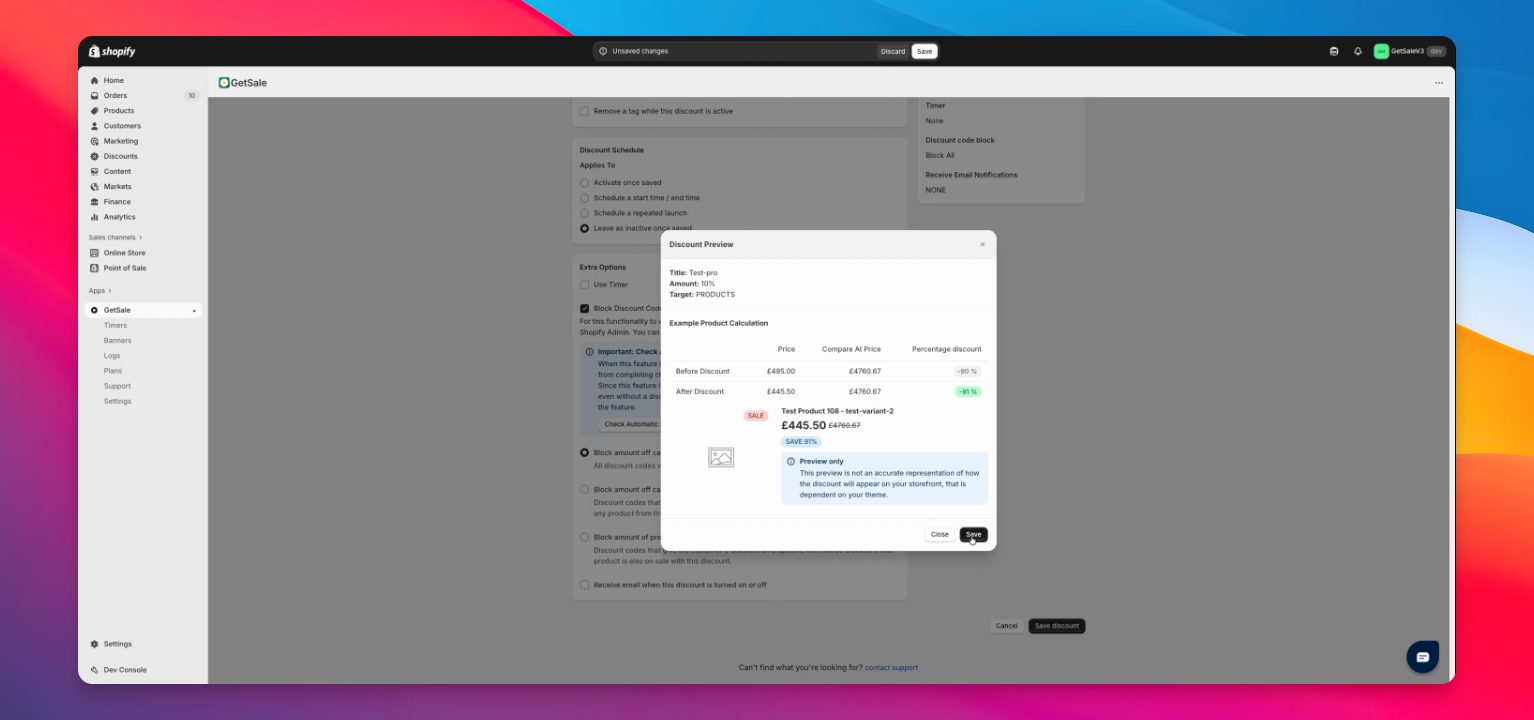
Review the preview of changes and click Save again.
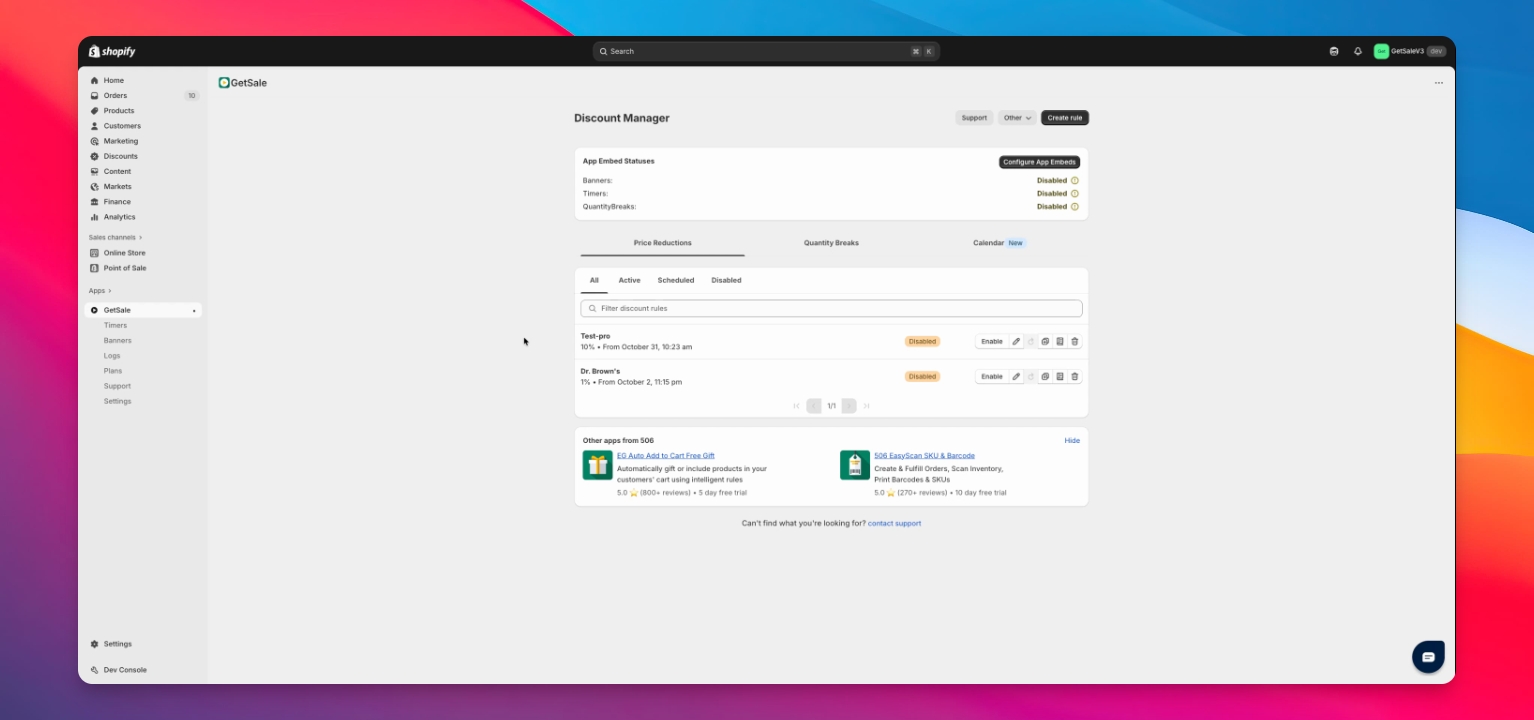
If the discount is not enabled, enable it now.
Step 6: Validate the Feature
Try using a discount code that previously worked in the cart or checkout.
Step 7: Seek Support if Needed
If you encounter issues, reach out to support for assistance.
Troubleshooting
Discount codes still combine
Make sure you've added the “Discount code blocker” rule in your Shopify admin under Settings → Checkout (Add rule → GetSale Discounts → Discount code blocker → Save → Turn on). Note: with the default “block all codes” option the code is removed automatically when the shopper enters it; with the cart-only or product-only options the code can still be applied, but the customer won't be able to complete checkout until it's removed.
FAQ
Can I block specific discounts?
What happens if I enable this feature?
It prevents discounts from combining with Shopify code-based or automatic discounts. With the default “block all codes” option, the conflicting code is removed automatically when the shopper enters it. With the cart-only or product-only options, if a GetSale-discounted product is in the cart the customer can still enter the code but won't be able to complete checkout until they remove the code or the product.
Could checkout be blocked when no code is applied?
This feature is in beta and relies on on-cart price checks. In rare cases a checkout may be blocked even without a discount code applied. If you run into this, contact support.
Why does “block all codes” remove the code, but the other options block checkout instead?
It comes down to how Shopify handles discounts. The three options use different parts of Shopify's checkout, each with a trade-off:
Block all codes works while the discount is being calculated. At that stage the app can remove any code, but it can't tell what type of code it is — so it blocks everything. That's why the code is removed as soon as it's entered.
Block cart codes and Block product codes work later, at checkout, where the app can see exactly how a code affects the cart and tell cart-level from product-level codes apart. At that stage it can't remove the code — it can only stop the order from being placed. That's why the code stays applied but checkout is blocked.
In short: removing a code and identifying the code's type happen at two different stages, and no single stage can do both. This is a Shopify limitation, not a setting — “Block all codes” is the simplest option and is recommended for most stores.