

What is a price conflict?
A price conflict means that a variant covered by an active GetSale price reduction no longer matches the sale price, compare-at price, or discount owner recorded when the reduction was applied. This usually follows a staff edit, Shopify bulk edit, or a change by another app.
GetSale records conflicts so you can investigate them. It never changes Shopify prices in response.
Where to find it
Open GetSale and select Price Activity. Unresolved is shown first and contains the conflicts that still need attention. Use Resolved to review issues that are no longer present, or All to see both.
Unresolved conflicts
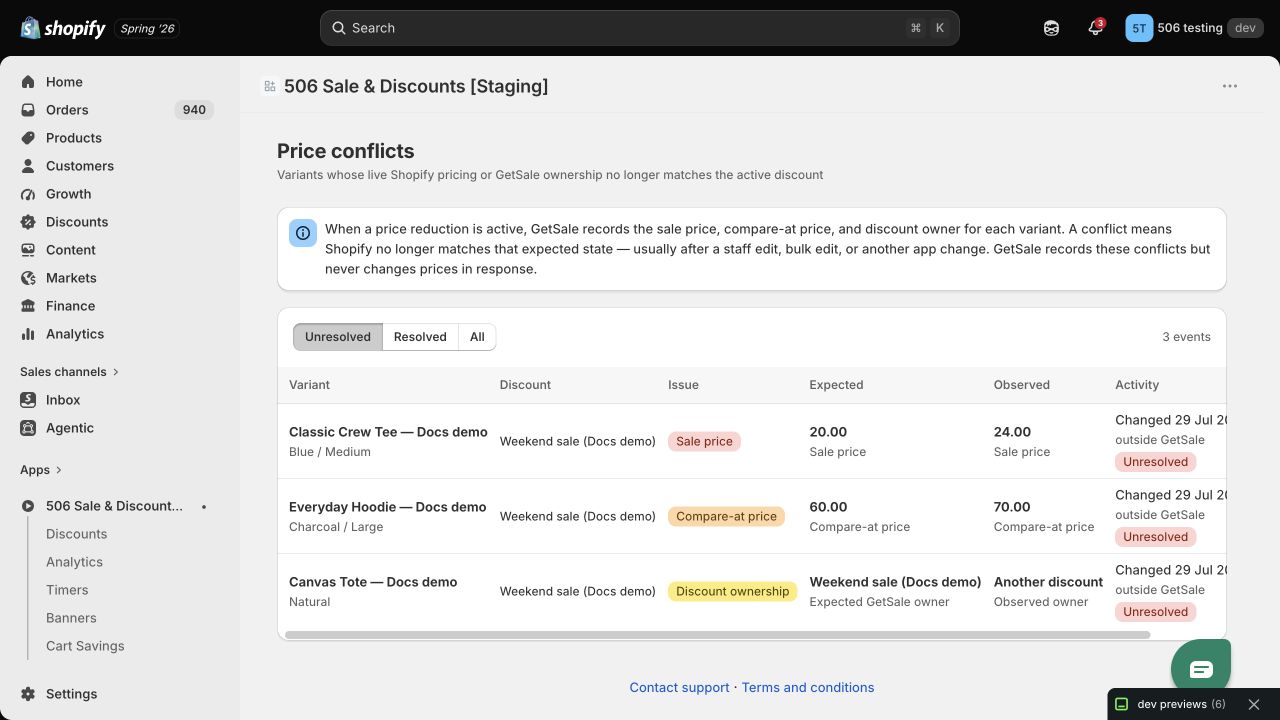
Use the Expected and Observed columns to identify the change that needs attention.
How to read a conflict
Each row identifies the affected variant and the GetSale discount that set the expected state. Compare Expected with Observed:
Sale price: the live Shopify sale price differs from the price recorded by GetSale.
Compare-at price: the live Shopify compare-at price differs from the recorded value.
Discount ownership: another discount now owns the variant, or it is no longer owned by GetSale.
The Activity column gives the timing and status. Changed means GetSale received Shopify’s exact change time. Detected means GetSale found the mismatch later, so the exact change time is unknown.
What to do
Confirm the sale and compare-at prices customers should see.
Check for a staff edit, a Shopify bulk edit, or another app that may have changed the variant.
If the GetSale reduction is still the source of truth, correct Shopify’s values or ownership so they match the active reduction.
If the external change is intentional, update the reduction in GetSale before applying the intended discount state again.
When is a conflict resolved?
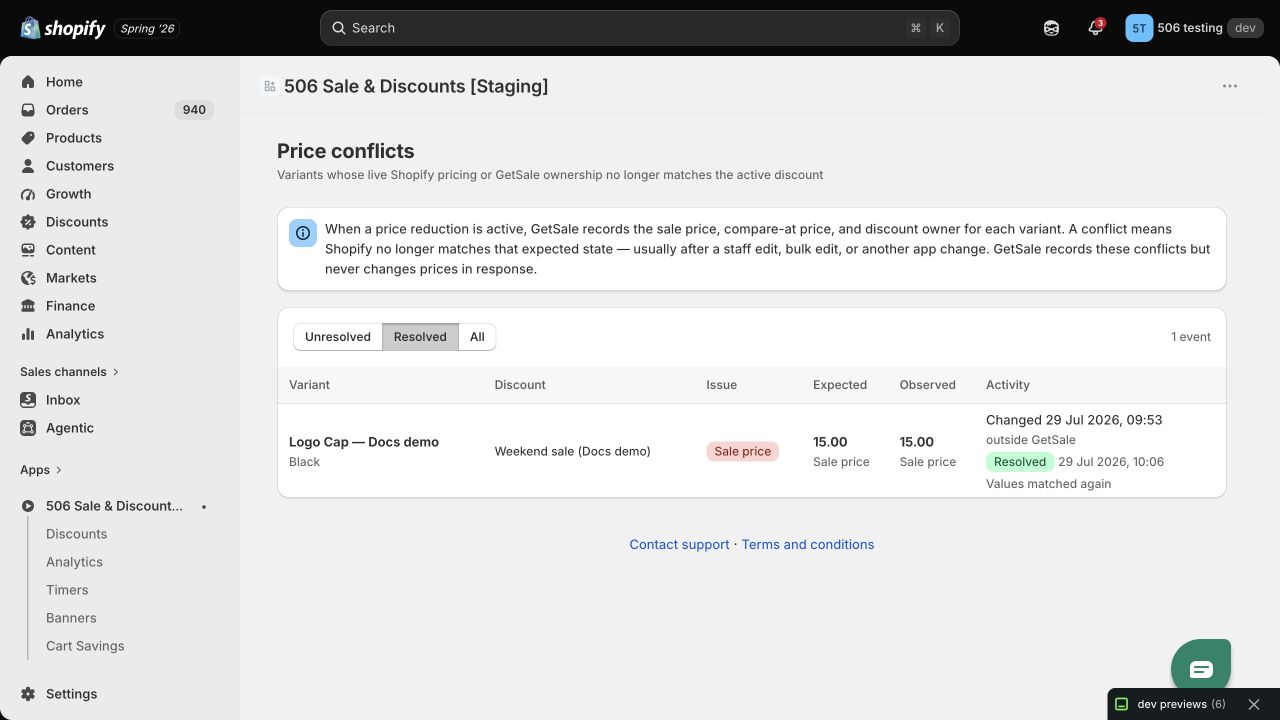
GetSale automatically marks a conflict Resolved when the live Shopify values match the active reduction again. It also resolves open conflicts when the related reduction becomes inactive. The Resolved tab shows the reason, such as Values matched again.
Tip: Price conflicts are a diagnostic signal, not a second discount workflow. Use them to identify unexpected changes quickly, then correct the price in the system that should own the final value.